Generative · mode 01

Replace anything inside a selection.

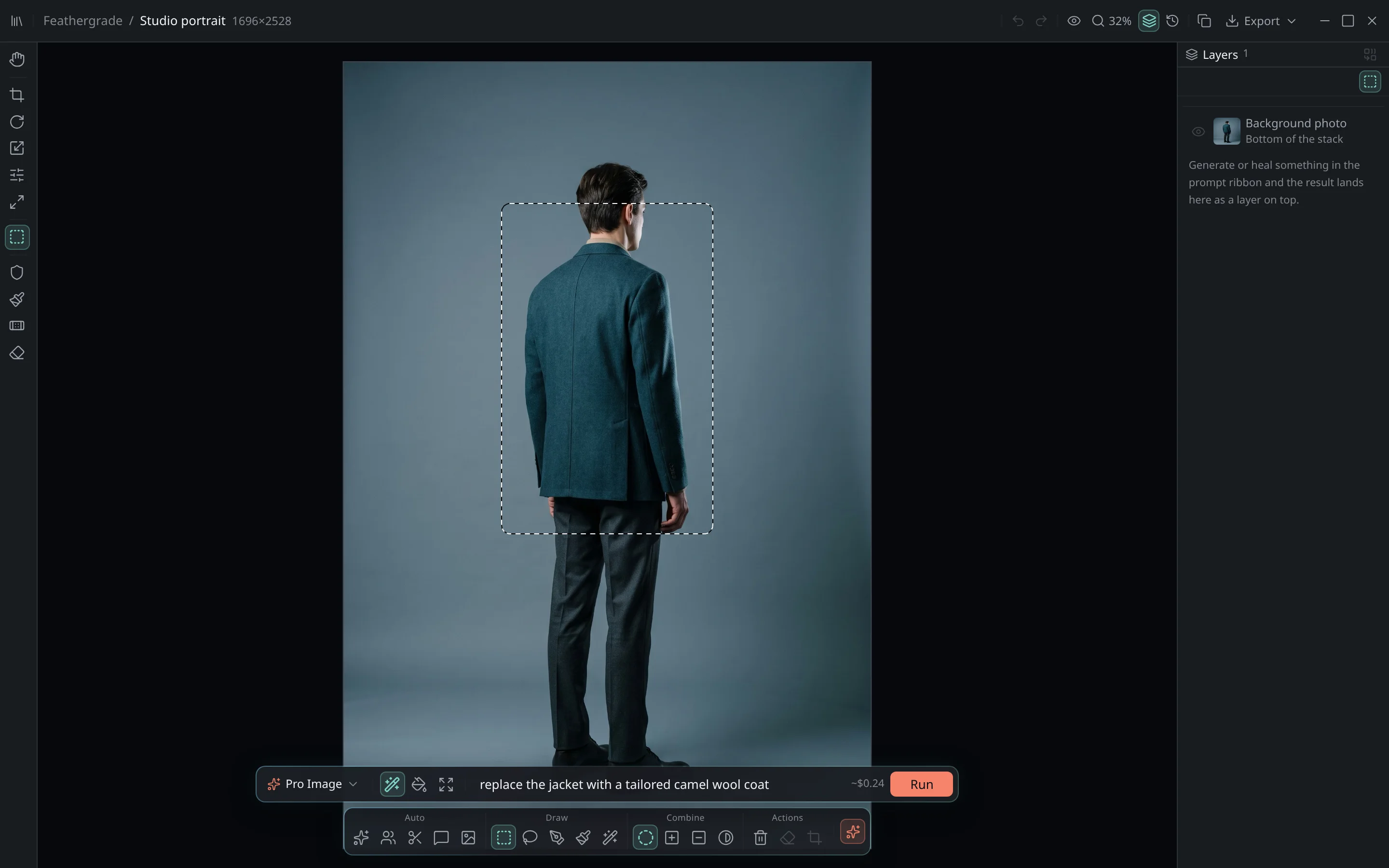
Circle the subject, describe the change, and generate. Feathergrade rebuilds only what you selected - then threads it back into the original grain, focus and light so the change reads as if it was always there.

The Feathergrade editor with a studio portrait open: a real selection drawn around the subject's jacket, the AI prompt bar reading 'replace the jacket with a tailored camel wool coat', the model picker set to Pro Image and an enabled Run button.
the editor in edit mode · selection active, prompt ribbon below the canvas

Three steps, one ribbon

01

Select

Rectangle, lasso, pen or brush - new, add or subtract until the region is exactly right.

02

Describe

Type the change in the prompt ribbon and pick a model. ⌘↩ to generate.

03

Blend

The result arrives as a layer, matched to surrounding grain and light - refine or undo freely.

The edit isn't pasted on top of your photo. It's rebuilt from your photo.

Next: Infill →Buy license — $49.99